What Is a Stripboard in Film? (Colors, Layout, and Examples)
The original film-production planning tool, now reborn as software. How stripboards work, what each color means, and why they haven't gone away.
What Is a Stripboard in Film? (Colors, Layout, and Examples)
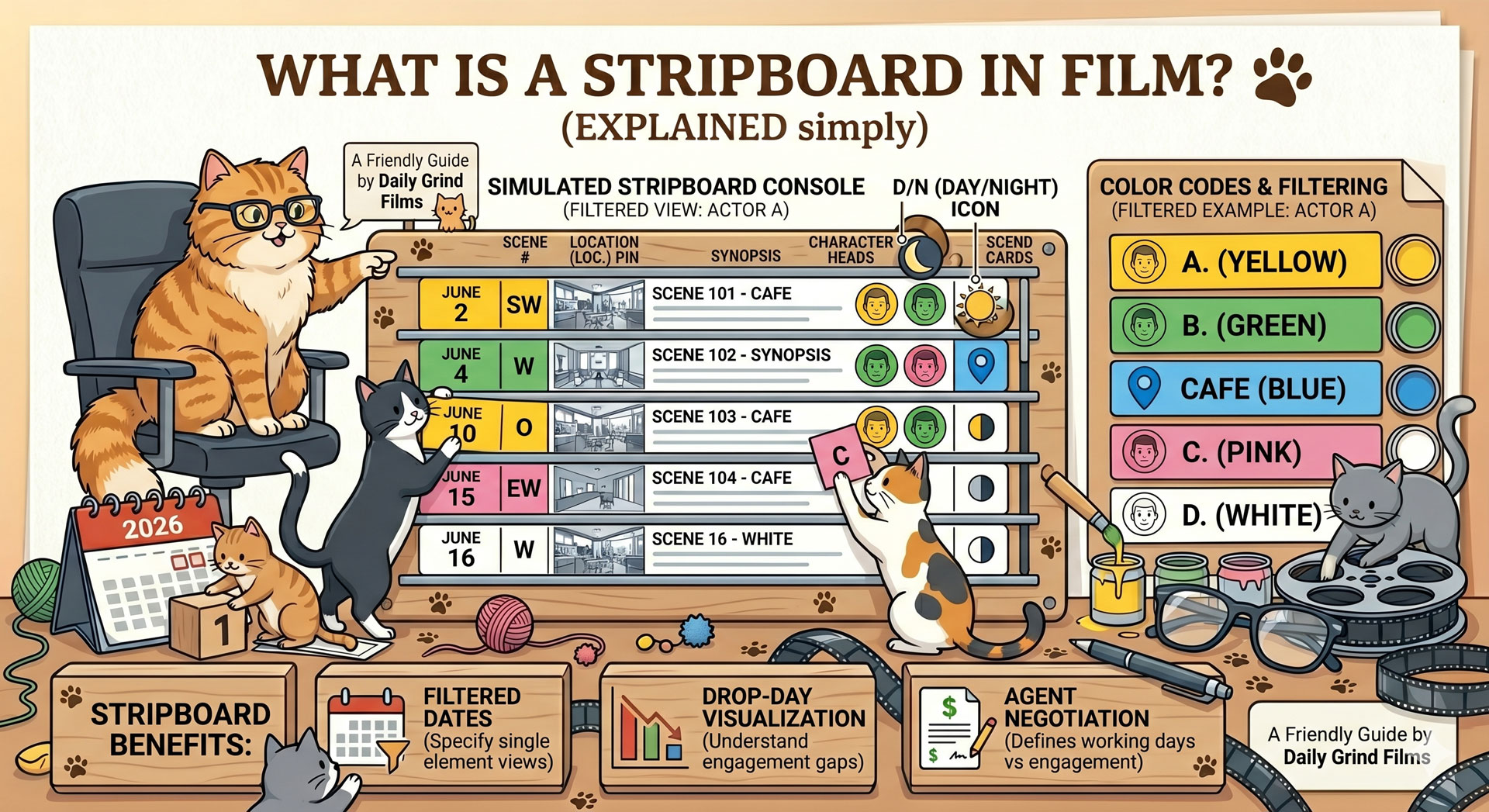
A stripboard is the film production's scheduling tool — a visual representation of every scene in the script as a single colored strip, arranged in shooting order, grouped by location and day. Each strip carries the scene number, location, interior/exterior, day/night, page count, and cast. Colors signal the time-of-day and indoor/outdoor combination at a glance. The 1st AD rearranges the strips to build the shooting schedule.
The stripboard started as physical cardboard slats on a wooden board. Today most productions use software that replicates the same metaphor digitally, because the mental model works — and nothing has replaced it in fifty years.
The 50-word definition
A stripboard is a visual production schedule where each scene in a film becomes a colored strip. The color identifies day/night and interior/exterior. Strips are arranged in shooting order, grouped by location, and re-arranged as prep progresses. It's the 1st AD's primary scheduling tool and the source data for every call sheet.
Where stripboards came from
Before software, production managers built schedules with physical cardboard strips, each one hand-labelled with a scene's details and slotted into a long wooden board. The board lived in the production office; the 1st AD and UPM rearranged strips by hand as prep progressed.
The format persisted because the physical metaphor is genuinely useful:
- Every scene occupies the same amount of horizontal space, so page counts and shoot days are visible at a glance.
- Rearranging is a kinetic act — pulling a strip out and placing it elsewhere forces a conscious decision.
- Colors encode time-of-day and location type in peripheral vision, so a 1st AD can spot a scheduling error without reading.
- Day breaks and banners create visual rhythm that matches the mental rhythm of planning a shoot.
When scheduling software appeared in the late 1980s (Movie Magic Scheduling leading the charge), it didn't replace the stripboard metaphor — it digitised it. Every mainstream scheduling tool since, including Production Slate's schedule feature, uses the same visual language.
Anatomy of a strip
Every strip carries a consistent set of data fields, regardless of whether you're looking at cardboard or software:
- Scene number — as numbered in the script
- Location — interior or exterior, plus the location name
- Day/Night — time of day the scene is set (D/N)
- Page count — in eighths (e.g. "2 5/8", meaning two and five-eighths of a script page)
- Scene description — one line, enough to identify the scene
- Cast IDs — numbered references to characters (1 = Lead, 2 = Best Friend, etc.)
- Script day — which day within the story the scene takes place on (not to be confused with shoot day)
The strip's color is determined by two axes: interior vs exterior, and day vs night. The color legend is one of the most consistent conventions in film production; it's survived five decades and countless software migrations almost unchanged.
The standard color set
Stripboard colors vary slightly between software tools and production companies, but the industry standard is:
| Color | Time + Location | Used for |
|---|---|---|
| White | Day Interior | Interior scenes shot in daylight (natural or staged) |
| Yellow | Day Exterior | Exterior scenes shot in daylight |
| Blue | Night Interior | Interior scenes shot at night |
| Green | Night Exterior | Exterior scenes shot at night |
Banners (visual dividers between groups of strips) and day breaks use separate colors, typically:
- Black banner — location change
- Gray strip or banner — day break (end of a shoot day)
- Pink / orange / other — used for special strips (VFX plate, unit move, holiday, company move)
Some productions and tools extend this palette. For a full reference, see our stripboard colors explained post.
How the 1st AD uses the stripboard
The stripboard is the 1st AD's primary planning surface during prep. The workflow goes roughly:
- Import scenes from the broken-down script. Each scene becomes a strip, pre-populated with scene number, cast, location, and page count. (See our script breakdown post for the step before this one.)
- Color-code by time-of-day and location. Day interior gets white, night exterior gets green, and so on. Most software does this automatically from the script's sluglines.
- Group strips by location. All scenes at the same location go together. Within each location group, arrange by time-of-day to minimise lighting changes.
- Insert banners and day breaks. Black banners separate location groups; gray strips mark the end of each shoot day. Day breaks are placed to balance page count across days (typical target: 2–3 pages/day for dramatic features, higher for dialogue-heavy TV).
- Sequence for logistics. Cast availability, weather windows, location holds, equipment packages — all of these drive the final strip order.
- Lock, then generate downstream documents. Once the stripboard is locked, it becomes the source of truth. Call sheets, day-out-of-days reports, and one-liners all derive from it.
The last step is where the stripboard's real power lives. A stripboard isn't just a planning document; it's the data source for everything the production needs to run.
Stripboard vs shooting schedule vs call sheet
Three documents, three scopes. Easy to confuse, useful to distinguish:
| Document | Scope | Format | Updated during shoot? |
|---|---|---|---|
| Stripboard | Whole shoot | Visual (colored strips) | Rarely, once locked |
| Shooting schedule | Whole shoot | Derived from stripboard | No, once locked |
| Call sheet | One day | Derived from schedule | Daily |
The stripboard is the visual model. The shooting schedule is the textual expression of the same model. The call sheet is one day pulled out of the schedule. Lock the first one and the other two flow from it.
Physical vs digital stripboards
Physical stripboards still exist on a handful of productions — traditionally-minded UPMs, film schools, some studio productions that like having a physical war room. They're tactile, make remote changes feel deliberate, and create a shared artifact the whole production office can gather around.
Digital stripboards won the default fight for four reasons:
- Reshuffling is instant. A drag-and-drop reorder in software is faster than pulling and re-slotting 120 physical strips.
- Two people can work on it simultaneously. Physical boards are serial; digital ones are collaborative.
- The stripboard auto-updates from the script. Change a script revision and the strips reflect the changes; a physical board needs manual rewriting.
- Downstream documents generate automatically. Call sheets and DOOD reports pull from the live stripboard rather than being rebuilt by hand.
Most productions in 2026 are fully digital. A small minority run a hybrid — digital source-of-truth, with a printed stripboard reference pinned to the UPM's wall. For the full comparison, see our digital vs cardboard stripboard post.
Common misunderstandings
A few things new 1st ADs get wrong:
Scene order on the stripboard is shooting order, not story order. The script has scenes in story order. The stripboard rearranges them for logistical efficiency. Scene 47 might shoot on Day 2; Scene 3 might shoot on Day 15.
Page count is in eighths, not decimals. A "2 5/8 page" scene is two and five-eighths of a script page, measured on the broken-down paper script. Software usually converts automatically, but when someone says "that scene is three-eighths" they mean 3/8.
Colors aren't arbitrary. White/yellow/blue/green encodes time-and-location information. Don't invent your own color scheme — a department head glancing at the board should be able to read it without a legend.
Strips represent scenes, not shots. A single scene might contain 30 shots. The stripboard plans at the scene level; shot lists plan the shots within each scene.
Example stripboard
A rough example of what a stripboard looks like for a 12-day schedule:
[BANNER: LOCATION — CAFE INTERIOR]
[WHITE] Sc 14  D  INT. CAFE — Morning. Lead orders coffee.      1 2/8 pp  Cast: 1, 2
[WHITE] Sc 22  D  INT. CAFE — Lead returns for closure.          5/8 pp   Cast: 1
[BLUE]  Sc 78  N  INT. CAFE — Last customer leaves.             1 4/8 pp  Cast: 1, 3

[DAY BREAK]

[BANNER: LOCATION — STREET EXTERIOR]
[YELLOW] Sc 15  D  EXT. STREET — Lead walks to work.             2/8 pp   Cast: 1
[YELLOW] Sc 31  D  EXT. STREET — Confrontation.                 2 6/8 pp  Cast: 1, 2, 4
[GREEN]  Sc 56  N  EXT. STREET — Chase sequence.                3 2/8 pp  Cast: 1, 4, 5

[DAY BREAK]
Each row is a strip. The banners group scenes by location. Day breaks mark the end of a shoot day. Colors signal time-of-day and location at a glance. Multiply this pattern by 100–200 scenes and you have a feature film's production schedule.
Next step
If you've never built one, our step-by-step how-to-make-a-stripboard guide walks through the process from broken-down script to locked schedule. For the full color reference, see stripboard colors explained, and for a free starting template, grab our shooting schedule template.
For production scheduling software that replicates the stripboard metaphor with drag-and-drop and live call-sheet integration, Production Slate's schedule feature is the fastest way to build and lock one.
Written by Production Slate · Production Slate