Digital Stripboard vs Cardboard: The Real Tradeoffs
Cardboard vs digital stripboards — where each still wins, and why most shoots now run hybrid.
Digital Stripboard vs Cardboard: The Real Tradeoffs
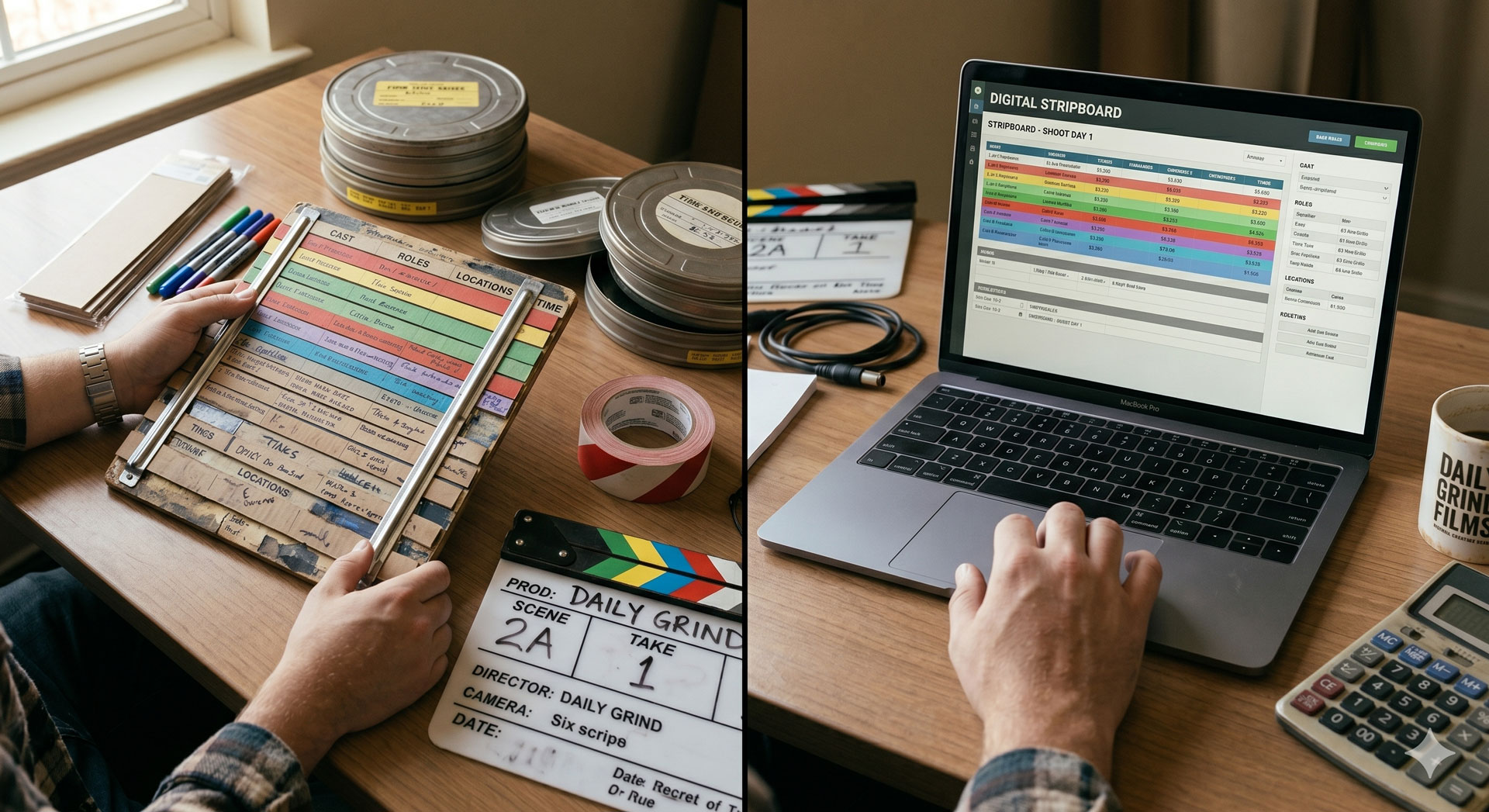
Digital stripboards won the default fight a decade ago — drag-and-drop rearranging, auto-population from a broken-down script, live DOOD regeneration, downstream call-sheet integration. Cardboard stripboards still exist, though. Some 1st ADs think better with physical strips. Some production offices pin the board to a wall as a shared artifact. Some film schools still teach the cardboard version because the metaphor is easier to absorb hands-on.
Below is a fair comparison of where each one actually earns its place, and the hybrid workflow most professional productions have settled into.
A short history
The stripboard started as cardboard. Literally cardboard — hand-labelled strips slotted into a wooden board that lived in the production office, with physical banners between location groups and separator strips marking day breaks. Movie Magic Scheduling digitised the metaphor in the late 1980s and every mainstream scheduling tool since has used the same visual language. For the full origin story and anatomy, see what is a stripboard in film.
The question now isn't whether cardboard is "real" and digital is "not" — both are working tools. It's which one fits your production.
Where digital wins
Rearranging is instant. Drag a strip from Day 8 to Day 3 and the DOOD updates, the call sheets for both days update, and the shooting schedule regenerates. Doing the same thing on a physical board means pulling the strip, finding the new slot, manually updating the DOOD spreadsheet, and re-writing two call sheets.
Two people can work on it simultaneously. Physical boards are serial. Only one person can physically move a strip. Digital boards let the UPM, 1st AD, and director all edit at once — critical during the last week of prep when everyone is making adjustments.
The board auto-updates from the script. When the script revises (and it will), scene numbers shift, page counts change, characters appear and disappear. Digital boards can re-import the revised script and preserve the existing day assignments. Cardboard means rewriting every affected strip by hand.
Downstream documents generate automatically. Lock the digital board and the DOOD, call sheets, and one-liners pull from it. On a cardboard workflow, every downstream document is built separately and has to be manually kept in sync.
Remote prep works. A cardboard board requires everyone to be in the same room. Digital boards work across time zones, which matters for productions with international producers, cast on location scouts, or a UPM working from home.
Revision history. "What did the schedule look like three weeks ago?" has an answer in digital tools. On cardboard, the old arrangement is gone the moment you move the strip.
Where cardboard still wins
Not as often as people remember, but in specific situations:
The tactile "war room." Some productions pin a physical stripboard to the wall of the production office and treat it as a shared artifact. Crew drop by, the DP checks Tuesday, the designer asks about the office scene. The board becomes a conversation hub in a way a digital tool on a laptop isn't. This is cultural, not functional — but culture matters on a production.
First-time 1st ADs learning the metaphor. Physically moving strips teaches the stripboard logic in a way that staring at pixels sometimes doesn't. Film schools still teach cardboard for a reason; the kinaesthetic part of the workflow embeds the concept faster than a tutorial.
A 1st AD who genuinely thinks better with their hands. Some people plan better by rearranging physical objects. If that's your 1st AD, let them have the cardboard. Productions are run by humans; the tool that makes the human better is the right tool.
Extremely simple shoots. A 2-day music video can be sketched out on index cards in 20 minutes. Setting up a digital project for it is overkill. The smaller the shoot, the closer to the "just write it on paper" end of the spectrum you can sit.
Outside those four, cardboard is nostalgia rather than utility.
Where cardboard used to win but doesn't anymore
Worth mentioning because the arguments still circulate:
"Cardboard doesn't crash." True but irrelevant. Modern scheduling tools save continuously to the cloud. A laptop crash loses nothing. The "digital is fragile" argument was valid in 2005, not 2026.
"Cardboard is free." A wooden board and a stack of strips aren't free. Movie Magic Scheduling costs real money, but free tiers on Production Slate's schedule feature and StudioBinder cover a full production at zero cost.
"Crew prefer paper." Some crew prefer printed reference copies, which is fine — print the schedule from the digital tool. That's not an argument for building the schedule on cardboard; it's an argument for printing a reference at the end.
"Digital is harder to read across the room." Fair on a laptop, solved by projecting the digital board onto a 60-inch TV in the production office. A projected digital board works as a war-room artifact and still retains all the digital benefits.
The hybrid workflow most productions run
Here's what a professional prep cadence actually looks like in 2026:
- Digital is the source of truth. All schedule edits happen in the scheduling tool. The DOOD, call sheets, and one-liners pull from it.
- A printed stripboard reference is pinned to the wall. Printed at the end of each prep day, re-printed when something material changes. This serves the "war room" cultural function without compromising the data model.
- The UPM and 1st AD work from laptops. Side-by-side, both editing the same live document during prep meetings.
- The director is shown a projected version. A 60-inch TV in the production office displays the live stripboard during director meetings. Everyone sees the same thing.
- Department heads get one-liners. Short-form derived from the digital stripboard, sent as PDFs or printed for scout day. See what is a one-liner schedule for the format.
This hybrid keeps the cultural benefit of a physical shared artifact (the wall print) while retaining every functional advantage of the digital tool.
When the hybrid becomes redundant
On smaller productions — short films, music videos, commercials — the wall-print step isn't worth the paper. The laptop or a projected view handles it. Reserve the full hybrid for features and longer TV productions where the production office is an actual room with a wall worth using.
On larger productions — studio features and multi-camera TV — a physical wall print is standard anyway, because the production office is staffed around the clock and the shared artifact becomes genuinely useful for continuity across shifts.
Common hybrid mistakes
Printing the stripboard too often. Once a day is plenty during active prep; less during shoot. Reprinting after every tiny change teaches the team to distrust the print, which defeats the purpose.
Editing the printed copy. The printed version is a snapshot, not a working document. Never let anyone write on the print. Edits happen in the digital tool; the print follows.
Letting the wall print get out of date. If the print and the digital tool disagree, the print wins in people's memory — they saw it first. Reprint weekly at minimum, daily during active rearrangement.
Treating cardboard as a "backup." A physical stripboard that isn't the primary document is just a wall decoration. Either it's the source of truth (full cardboard) or it's a derivative (print, pin, replace). Don't half-commit.
Next step
If you're deciding between cardboard and digital for your next production, run digital and print a reference copy. If you're already on cardboard and considering a switch, pick a digital tool (our best production scheduling software comparison walks through seven options), rebuild the stripboard once from your locked script, and go forward digitally.
For software that imports a FinalDraft FDX, auto-populates the stripboard from sluglines, and regenerates the DOOD and call sheets live as you reshuffle, Production Slate's schedule feature is the fastest way in.
Written by Production Slate · Production Slate