What Is a Company Move? (And Why It Eats More Schedule Than You Think)
A company move relocates the entire unit — cast, crew, and every truck — mid-day. It's the single most underestimated line item on a shooting schedule.
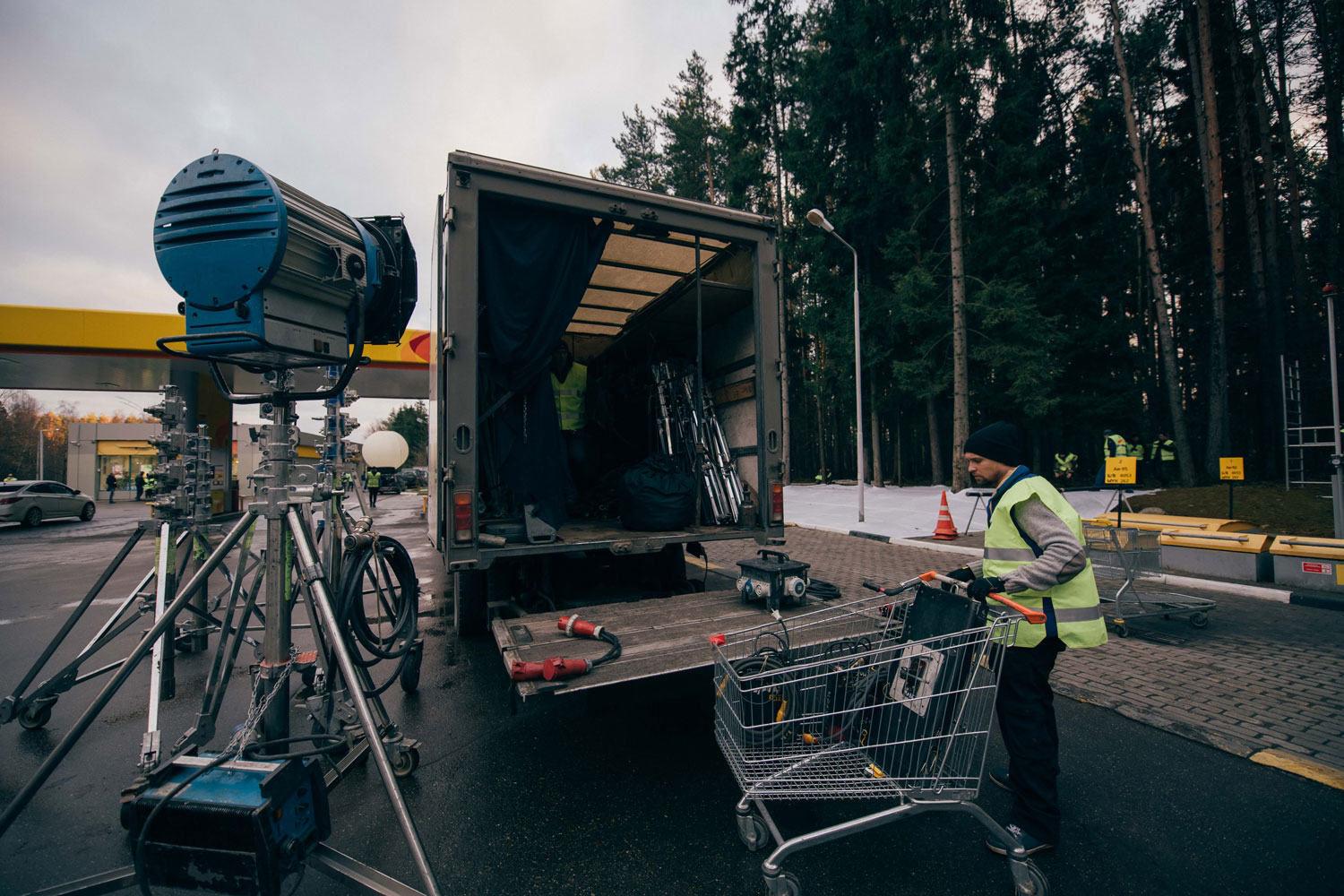
What Is a Company Move? (And Why It Eats More Schedule Than You Think)
A company move is when the entire production — cast, crew, camera, grip and electric, wardrobe, video village, all of it — relocates from one location to another in the middle of a shoot day. It's different from moving between rooms in the same building; a true company move means trucks drive, gear gets struck and re-rigged, and nobody is rolling camera while it happens.
Producers routinely underestimate how long this takes because they think of it as a drive time. It isn't. It's a drive time plus a full strike plus a full re-rig, and on most indie crews that adds up to 60–90 minutes of dead time that doesn't appear on a naive schedule at all.
The 50-word definition
A company move is a mid-day relocation of the full production unit — cast, crew, and equipment — from one set or location to another. It costs strike time, drive time, and re-rig time, none of which is shooting time, which is why 1st ADs treat every move as a scheduling liability, not a formality.
Why moves eat more schedule than people expect
A company move isn't one number, it's four stacked together:
- Wrap/strike at location A — breaking down camera, lighting, sound, and anything set-dressed, then loading trucks
- Drive time — real drive time, not map-estimate drive time; add buffer for parking a production convoy, not a single car
- Load-in and setup at location B — everything from the location scouting checklist about doorways, elevators, and parking comes back into play here, on a clock
- Re-lighting and re-blocking — the DP and gaffer are essentially starting a new setup from zero
Add those four together and a move that "looks like" 30 minutes on paper is routinely 90 minutes to two hours in practice. A schedule that treats a company move as a 15-minute travel buffer is a schedule that runs into golden hour or overtime by the last shot.
How ADs actually plan around them
- Count moves per day, not just locations per day. Two locations shot on two separate days costs nothing extra. Two locations shot in one day costs a full move.
- Front-load the move estimate with real numbers, not Google Maps drive time — factor convoy parking, unloading, and the fact that grip trucks don't move like sedans.
- Sequence coverage to survive a move running long. Shoot the location-specific must-haves first at each stop; treat anything "nice to have" as expendable if the move eats into the day.
- Avoid stacking two moves in one day unless the shots at each location are genuinely short. Three locations, one day, is a schedule most crews will not hit on time.
- Reflect moves explicitly in the one-liner schedule and in the day out of days so cast and crew see the move coming instead of finding out at lunch.
- Loop in the locations manager during the tech scout — parking, load-in routes, and any building access restrictions at the second location need to be solved before the move day, not during it.
A rough math example
Say a crew wraps a morning scene at a house at 12:00pm and needs to be shooting again at a coffee shop 20 minutes away. On paper: 20-minute drive, done by 12:20. In practice:
- 12:00–12:35 — strike camera, lighting, sound, and any set dressing at the house, load trucks
- 12:35–1:00 — actual drive, with the convoy staying together and finding parking at the new location
- 1:00–1:40 — unload, carry gear in, set up lighting and camera for the first shot
- 1:40 — first shot of the new scene is actually rolling
That's 100 minutes, not 20 — and this example assumes nothing goes wrong, no wrong turns, no double-parked trucks, no elevator wait. This is why an experienced 1st AD pads a move estimate well past the drive time alone, and why a schedule with two moves in one day is a red flag worth raising in prep, not on the day.
When to avoid a company move entirely
If a schedule is tight, a company move is usually the first thing worth cutting. Options, roughly in order of preference:
- Split the two locations across two separate days if the calendar allows it
- See if either location can double for both scenes (a different room, a different angle) to avoid moving at all
- If the move is unavoidable, shorten the day at each location rather than trying to hold the full call time at both
- Never schedule a company move on the same day as a scene requiring special equipment setup (cranes, underwater rigs, extensive VFX prep) — the setup time and the move time compound instead of overlapping
A company move on a night shoot deserves extra scrutiny too — crews move slower in the dark, and a move that runs long can push the whole unit into overtime rates before the last setup is even lit.
Plan moves before they surprise the schedule
Company moves are the fastest way for an optimistic schedule to become an overtime day. Production Slate's schedule module lets you build stripboard days that show every location change at a glance, so a producer or 1st AD can see move-heavy days before they're locked — not after the crew is standing in a parking lot waiting for the truck.
Written by Production Slate · Production Slate