What Is a Day Out of Days (DOOD)? (Explained Simply)
DOOD — the unsung spreadsheet that runs cast contracts. Here's what it is and how to read one.
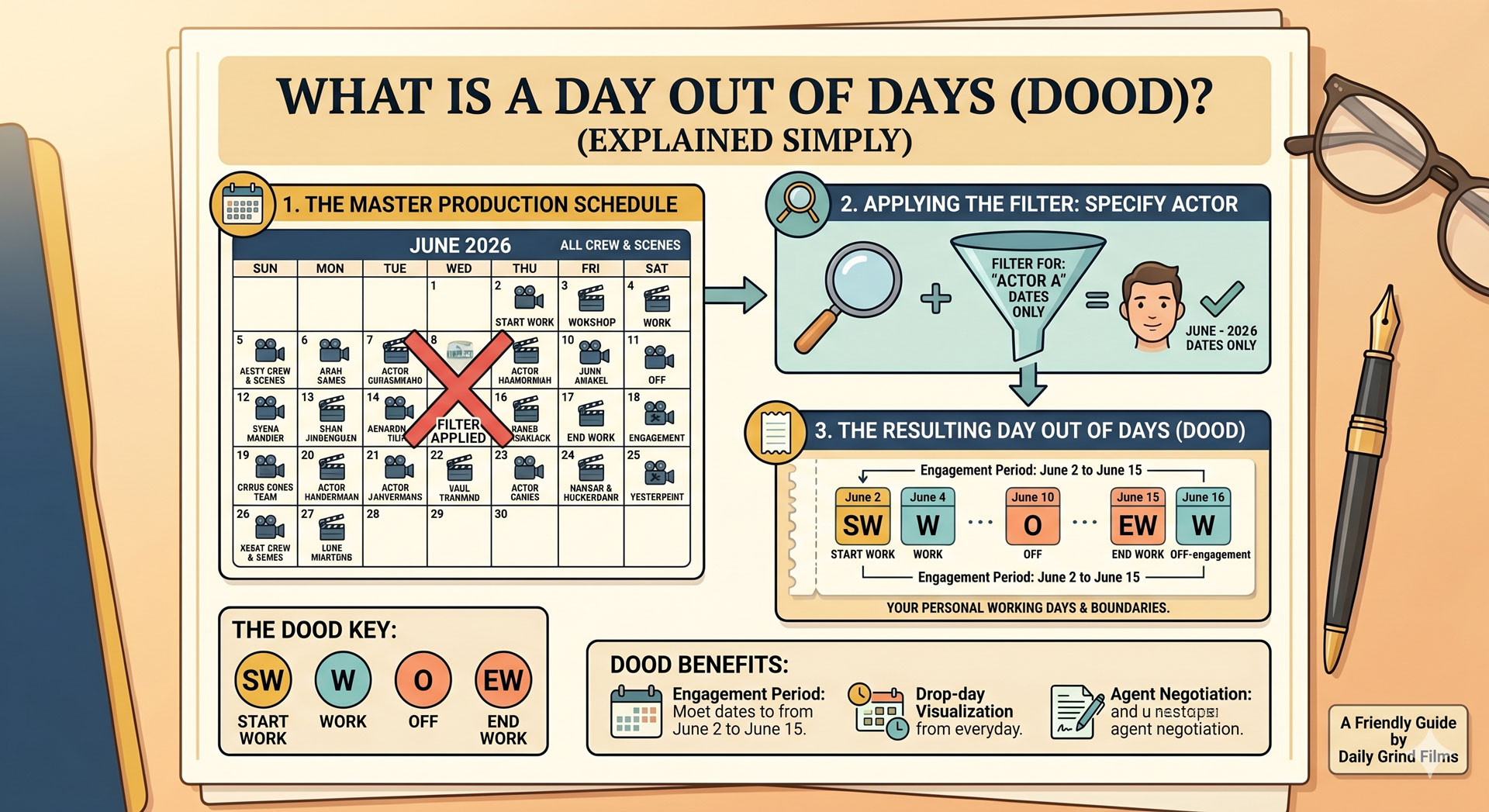
What Is a Day Out of Days (DOOD)? (Explained Simply)
A day out of days (DOOD) is the grid that shows which cast members are working on which shoot days, from the day they start to the day they finish. It's generated automatically from a locked stripboard and it drives cast contracts, payroll calculations, and per-day cost estimates. The 1st AD and UPM read it constantly during prep; the producer reads it when contracts are being negotiated.
The name is old-fashioned and misleading. A DOOD isn't about "days out" — it's a matrix that tracks each cast member's entire working calendar on the production.
The 50-word definition
A day out of days (DOOD) is a grid showing each cast member's status on each shoot day: working, holding, starting, finishing, or off. It's generated from the locked stripboard and used to calculate cast contracts, payroll, and "hold" days when an actor isn't working but still has to be paid.
Anatomy of a DOOD
A DOOD is a table. Rows are cast members; columns are shoot days. Each cell contains a code that describes the cast member's status on that day:
| Code | Meaning |
|---|---|
| SW | Start work (first day on the production) |
| W | Work day (the cast member is shooting that day) |
| WF | Work finish (the cast member's final shoot day) |
| SWF | Start-Work-Finish (the cast member's only day, start and end) |
| H | Hold (not working, but under contract and usually paid) |
| R | Rehearsal day |
| T | Travel day |
| D | Drop (released from the production before the final day) |
| PU | Pick-up (rejoining after a drop) |
The codes are standardised. Every scheduling tool generates them the same way.
A simple example
A 10-day shoot with three cast members:
| Cast | Day 1 | Day 2 | Day 3 | Day 4 | Day 5 | Day 6 | Day 7 | Day 8 | Day 9 | Day 10 |
|---|---|---|---|---|---|---|---|---|---|---|
| 1. Lead | SW | W | W | W | W | W | W | W | W | WF |
| 2. Best friend | SW | W | H | H | W | W | H | H | W | WF |
| 3. Antagonist | — | — | SW | W | W | W | WF | — | — | — |
Read across a row to see one cast member's full schedule. Read down a column to see who's on set each day. The total work days per cast member are summed at the end of the row, usually with a column for total hold days too.
Why the DOOD matters
Three distinct audiences care, for three different reasons.
Producers care about money
Cast contracts include clauses about hold days, travel days, and consecutive-employment rules. A cast member with "hold days" in the middle of their run (as with Best Friend above — working Days 1–2, held 3–4, working 5–6) still gets paid for those hold days under most union and indie contracts. If the 1st AD can rearrange the stripboard to collapse those holds, the production saves the hold-day cost.
The DOOD is the document that reveals those savings opportunities. Producers scan it for clusters of H in the middle of a cast member's run and ask the 1st AD whether the schedule can be tightened.
1st ADs care about logistics
The DOOD tells the 1st AD who's on set each day, which drives call sheet generation. It also flags logistical conflicts: if two cast members only overlap on Day 6 and Day 6 is also the biggest stunt day, something has to give.
Payroll services care about compliance
Payroll services (Entertainment Partners, Cast & Crew, and similar) calculate cast payments from the DOOD. The coded grid maps directly to their billing: W days bill at scene rates, H days bill at hold rates, T days bill at travel rates. The DOOD is effectively the invoice source data.
For more on what production data services handle vs what modern software replaces, see our production data services explained post.
How a DOOD is generated
In practice, the 1st AD doesn't write the DOOD by hand. It's generated automatically from the locked stripboard:
- Build the stripboard. Each strip lists the cast IDs of characters in that scene. See how to make a stripboard for the process.
- The software derives the DOOD from the strips. Every time a cast ID appears on a strip within a given shoot day, that cast member is W on that day. Days between a cast member's first and last appearance are either W or H.
- Adjustments for drops and pickups. If a cast member is explicitly "dropped" (released from the production) and later recalled, the 1st AD marks the release date and pickup date. The software splits their run accordingly.
- The DOOD updates live as the stripboard rearranges. Move a scene from Day 8 to Day 3 and any cast member in that scene sees their DOOD row shift automatically.
This live generation is why scheduling software earns its keep. Manually maintaining a DOOD across stripboard rearrangements is the kind of high-error transcription work software was built to eliminate.
Reading a DOOD during prep
A few patterns the 1st AD and UPM look for:
Clusters of hold days. If a cast member has three or more H days in a row between W days, the schedule has a compression opportunity — unless those holds are unavoidable due to another cast member's availability or a location constraint.
Short total work days. A cast member with only one or two total work days often qualifies for a "day player" rate rather than a weekly, which saves the production money. If they're scheduled across a long span, consider collapsing.
Long spans with few work days. A cast member listed as working Day 1 and Day 15 with 14 H days in between costs the production dearly. This usually means the stripboard should be rearranged so they work consecutive days.
Travel days (T) positioned correctly. Cast traveling to the location get a T day before their first W day. Forgetting to schedule travel days is a common oversight on productions with out-of-town cast.
DOOD vs shooting schedule vs call sheet
Three related documents, three different scopes:
| Document | Scope | Answers |
|---|---|---|
| Stripboard | Whole shoot, scene-by-scene | "What are we shooting, and when?" |
| Shooting schedule | Whole shoot, day-by-day summary | "What's on each shoot day?" |
| DOOD | Whole shoot, per-cast-member | "When is each cast member on set?" |
| Call sheet | One day, per-crew-member | "Who's where tomorrow, at what time?" |
The DOOD is the cast-focused view. Every other scheduling document focuses on what's happening on set; the DOOD focuses on which humans are under contract on which days.
Software that generates DOODs
Most established scheduling tools generate DOODs automatically from a locked stripboard. The list:
- Production Slate — DOOD generation is part of the schedule feature, live-updated as strips rearrange.
- Movie Magic Scheduling — the industry-standard DOOD generator since the 1980s.
- Gorilla Scheduling — generates DOODs on par with MM.
- StudioBinder — generates DOODs; less feature-rich than the dedicated scheduling tools.
- Yamdu — DOOD generation with EU-specific contract templates.
For a full comparison of scheduling software including DOOD support, see our best production scheduling software post.
Next step
If you haven't built the stripboard yet, start with how to make a stripboard. The DOOD is downstream of that document and will generate itself once the stripboard is locked. For software that handles the generation live as you reshuffle strips, Production Slate's schedule feature derives DOOD directly from your stripboard.
Written by Production Slate · Production Slate