Script Breakdown Colors Explained (The Standard Highlight Code)
The traditional highlighter color code for script breakdowns, decoded category by category — plus which colors are truly standard and which ones just depend on who trained you.
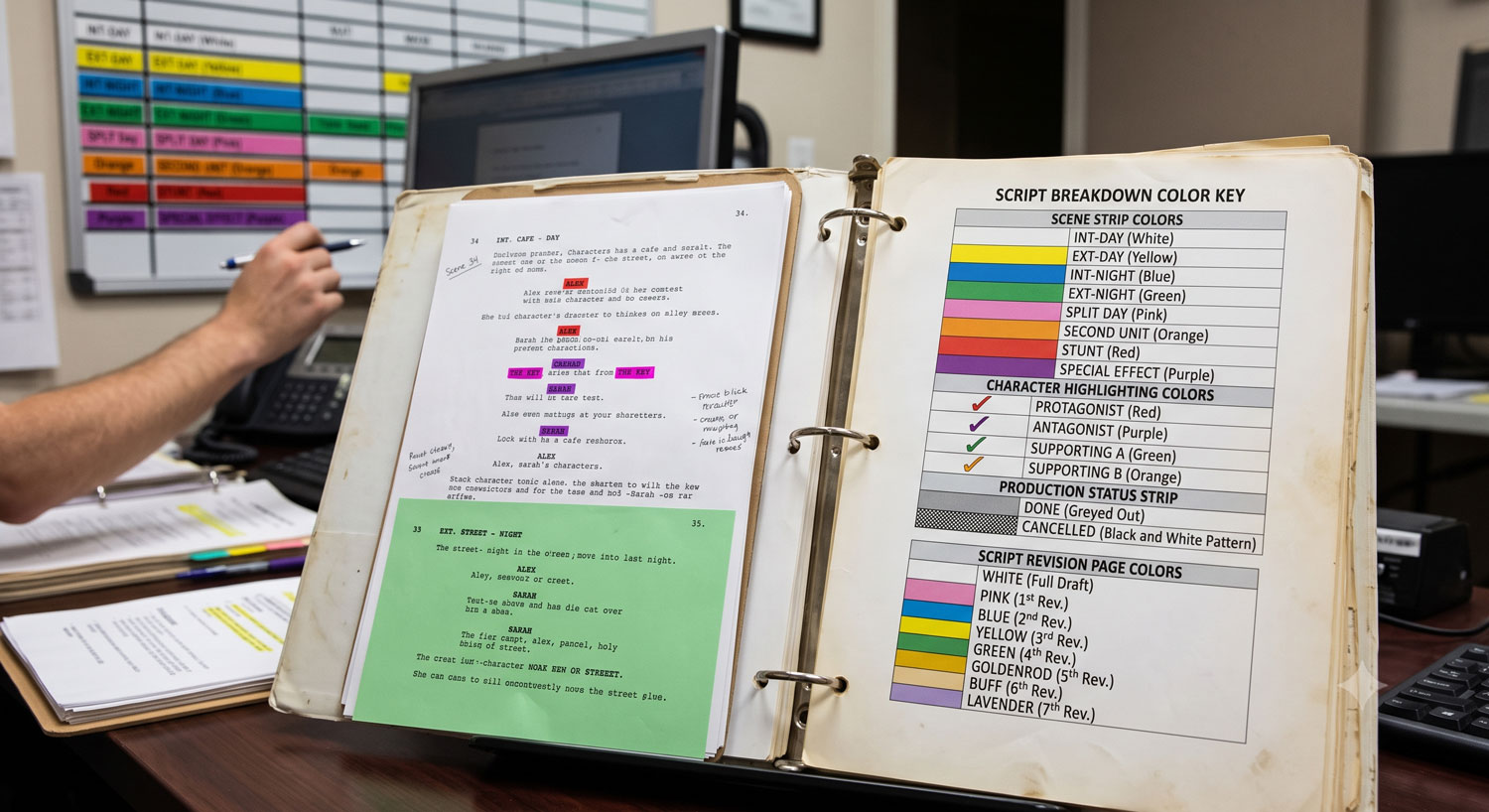
Script Breakdown Colors Explained (The Standard Highlight Code)
Script breakdown colors are the highlighter code production coordinators and ADs use to mark up a screenplay by category: red for cast, orange for stunts, yellow for extras, green for special effects, purple for props, and so on down the page. The point isn't the color itself — it's that everyone prepping the same script uses the same code, so a page marked up by one person reads correctly to everyone else.
If you've ever watched a 1st AD flip through a marked-up script and instantly clock every stunt beat on the page without reading a word of dialogue, that's the system working. Here's the full chart, what's actually standardized, and what varies by shop.
The 50-word definition
Script breakdown colors are a highlighter color code applied to a screenplay during script breakdown — one color per element category (cast, stunts, props, vehicles, etc.) — so anyone scanning the marked-up pages can identify what a scene requires at a glance, without re-reading the text.
Where this system comes from
Before scheduling software, breaking down a script meant literally sitting with a screenplay and a fistful of highlighters, going scene by scene and color-coding every element that would need to be scheduled, budgeted, or sourced. That physical habit predates digital tools by decades, and it stuck around because it works: color is faster to scan than text. An AD flipping through fifty pages before a tech scout can spot "green means an effects scene" in half a second, which is a lot faster than reading every line for the word "explosion."
If you're new to the process end to end, how to break down a script walks through the full workflow this color code plugs into — this post is just the color reference on its own.
The standard color chart
| Category | Standard Color |
|---|---|
| Cast (speaking roles) | Red |
| Stunts | Orange |
| Extras / Atmosphere / Silent bits | Yellow |
| Special Effects (mechanical/practical/pyro) | Green |
| Props | Purple / Violet |
| Vehicles | Sienna / Brown |
| Animals | Sienna / Brown (often grouped with vehicles) |
| Wardrobe | Blue (some charts use Green — see below) |
| Makeup & Hair | Pink |
| Set Dressing / Greenery | Blue, or circled in blue |
| Sound Effects | Circled or underlined in yellow or blue, shop-dependent |
| Music | Yellow or blue, shop-dependent |
| Special Equipment | Blue |
| Security | Blue, or just noted in production notes — not always color-coded |
What's actually universal, and what isn't
Here's the honest part most breakdown guides skip: the first six categories on that list — cast, stunts, extras, special effects, props, and vehicles — are close to universal. Walk onto almost any production, in almost any region, and red-for-cast and orange-for-stunts will hold. These are the categories baked into the default legends of scheduling software going back to the days of index-card stripboards, and they've had decades to calcify into habit.
Past that point, it gets looser. Wardrobe is a good example — plenty of charts use blue, but you'll also find shops that use green for wardrobe and reassign blue elsewhere. Sound effects and music get folded together, circled instead of highlighted, or dropped from the color code entirely and just tracked in a notes column. Security is sometimes color-coded and sometimes just isn't part of the visual system at all. None of this is a mistake — it's just accumulated convention that shifted depending on which studio, which region, or which software a production standardized on.
This is also why stripboards run their own separate, more rigidly standardized color code — stripboard colors map to day-vs-night and interior-vs-exterior rather than element category, and that system is far more universally locked-in industry-wide than the breakdown color chart is. If you haven't built a stripboard yet, how to make a stripboard and what a stripboard actually is cover that side of scheduling.
Why the exact colors matter less than picking one
The real rule isn't "use these exact fourteen colors." It's this: pick a legend, print it at the top of your breakdown sheet or the first page of your script, and hold every prep person to it for the entire show. The value of a color code isn't the colors — it's that a coordinator's yellow means the same thing as the 2nd AD's yellow, on day one and on day forty.
That consistency matters most when more than one person is touching the same script. If your art department coordinator highlights props in purple and your 2nd AD independently decides purple means wardrobe, you get two conflicting reads of the same scene, and something gets missed at the worst possible time — usually on set, when it's too late to fix cheaply. A shared legend is what lets an AD sanity-check their own read of a scene against someone else's markup without a conversation. That's the entire reason the system exists.
Once you've settled on your legend, the breakdown itself needs somewhere to live — see the script breakdown sheet template for the standard columns that each of these color categories eventually feeds into.
How this translates to digital tools
Most productions today aren't literally uncapping a yellow highlighter over a printed script — they're tagging elements in software. That's a direct swap, not a different system: the "color" becomes a label or a colored chip instead of ink on paper, but the underlying logic is unchanged. You're still sorting every scene element into the same categories, you're still trying to make each category visually distinct at a glance, and you still need every user on the project reading the same legend.
In Production Slate, script tagging works this way by design — you select text in the script reader and tag it as a character, prop, wardrobe, or art element, and each category gets a consistent visual treatment across the breakdown, so a coordinator and an AD looking at the same imported script see the same categorization without a shared physical highlighter set. If you're just getting oriented on the terminology first, what is a script breakdown is the place to start before this reference.
Get your legend into the script, not just your head
A color code only works if it's written down somewhere everyone on prep can see it — not just remembered by whoever built the first pass. Production Slate's script breakdown tools import your screenplay, apply category tags as you read, and keep every element consistent across the whole team automatically. No highlighters required, and no arguing over what purple was supposed to mean.
Written by Production Slate · Production Slate