8 Common Call Sheet Mistakes (and How to Avoid Them)
The 8 call-sheet mistakes every 1st AD makes at least once. Here's how to catch them before the crew does.
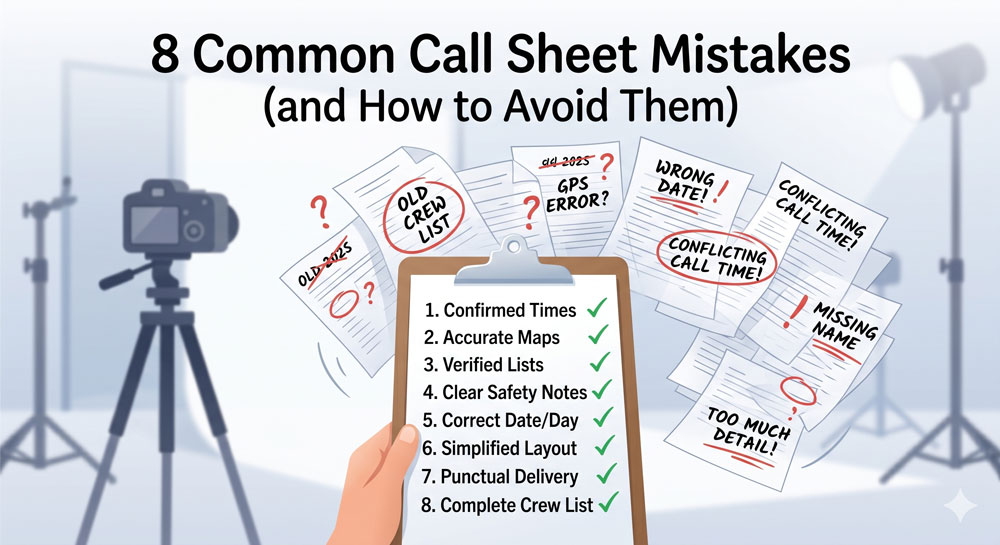
8 Common Call Sheet Mistakes (and How to Avoid Them)
Every 1st AD makes these mistakes at least once. The good ones make them once and never again. Below are the eight call sheet errors that most reliably produce angry texts at 5:30 AM — each with why it happens and the specific workflow change that prevents it.
Run through this list before every send. Or better, have another set of eyes run through it for you — the writer of a document is the worst proofreader of it.
1. Wrong hospital
What happens. Someone searched "hospital near me" a week ago, pasted the result into the template, and never re-verified. On shoot day the medic realises the hospital is in a different direction than assumed, or worse, the hospital's emergency department closes at night and the nearest 24-hour facility is 40 minutes further.
Why it happens. Hospital fields get filled once at the start of prep and copied forward. Nobody re-verifies per location, because everyone assumes someone else did.
How to avoid. The on-set medic signs off on the hospital for every new location, in writing. Not the location manager, not the coordinator — the medic. If there's no medic on the production, the 1st AD makes the call personally and confirms it's 24-hour, with a nursing floor, and accepts the production's insurance.
2. Stale call times from yesterday's sheet
What happens. A 1st AD reuses yesterday's call sheet document, updates the scene list, and sends it. Three crew members still have 6:30 AM call times because their cells weren't touched. Those crew show up an hour early, clock in, and stand around.
Why it happens. Copy-paste is faster than rebuilding. The eye glosses over fields that look "already filled".
How to avoid. Never copy yesterday's document. Start from a template or — better — have software auto-populate from the current schedule. Every call time field should be regenerated from source, not inherited. If you must reuse a document, highlight every call-time cell in red before you start, and turn them white only as you re-verify.
3. Missing or vague parking details
What happens. "Park at the location" isn't an instruction. Crew arrive, can't find a spot, and either park in a residential street the production doesn't have permission to use (location gets yanked) or circle for 20 minutes and show up late.
Why it happens. Prep teams scouted in the morning when parking was empty. Nobody tested at 5 AM. Or the parking plan was verbal between the location manager and the UPM and never made it to the sheet.
How to avoid. The location manager writes the parking instructions, not the 1st AD. Minimum viable version: street name, side of the street, nearest cross street, entrance door for load-in, and the mobile of whoever is on site first to let vehicles in.
4. Wrong cast pickup times
What happens. Cast pickup is listed at 6:00 AM. The driver is told 5:30 AM. The cast member waits 30 minutes on the curb, cold, already unhappy before they've had coffee.
Why it happens. Pickup times live in two places — the call sheet and the driver's own schedule — and nobody reconciles them.
How to avoid. Pickup times should be verified with the driver (or the transport coordinator), not just the UPM. On union productions this matters contractually: SAG and most equivalents treat the earliest call time as the start of the work day, including pickup. Misreporting it costs money and triggers grievances.
5. Sent too late
What happens. The call sheet goes out at 11:45 PM the night before. Crew are asleep. When they wake at 4 AM, they scroll it half-awake and miss the note that call time moved from 7 to 6:30.
Why it happens. Something during prep ran late — a location confirmation, a cast deal, a director note. The call sheet waits on it, and the knock-on effect is a midnight send.
How to avoid. The 10 PM rule. If you can't send by 10 PM, call every department head personally to brief them on tomorrow's changes, then send the sheet whenever it's ready. A voice call at 10 PM beats a silent email at midnight. See our call sheet timing post for the full protocol.
6. No walkie channel block
What happens. First radio check at 7:00 AM. Camera is on channel 1. G&E is on channel 1. Production is on channel 1. Nobody can reach the 1st AD. The morning's coordination falls apart in the first 10 minutes.
Why it happens. Walkie assignments live in the radio tech's head. They're not on the call sheet because they "don't change day to day" — until they do.
How to avoid. Include the walkie channel block on every call sheet, regardless of whether channels changed. The default layout: 1 for production, 2 for camera, 3 for G&E, 4 for sound, 5 for art, 6 for wardrobe, 7 for hair/makeup, 8 for transport. If your production varies, document the variation on the sheet.
7. Missing advance schedule
What happens. Tomorrow's call is 5 AM. Today's sheet doesn't mention it. Crew make personal plans assuming tomorrow starts at 7 like today did. Three people show up late.
Why it happens. The advance schedule is the last block on the call sheet and the first thing that gets cut when the rest of the sheet runs long.
How to avoid. Treat the advance schedule as mandatory, not optional. Three lines is enough: tomorrow's general call, tomorrow's location, and a one-line note on anything unusual (early start, night shoot, company move). Crew plan their evenings around these three lines.
8. Wrong version sent (the revision mix-up)
What happens. Location falls through at 8 PM. The 1st AD revises the call sheet, saves, and emails it. But three crew members had already opened the 7 PM version and don't re-open the new one. They show up at the wrong address.
Why it happens. Email attachments don't force re-reading. A PDF labelled "Call Sheet - Day 7" gets replaced by "Call Sheet - Day 7 FINAL" gets replaced by "Call Sheet - Day 7 REVISED v3" and nobody knows which is current.
How to avoid. Three things. First, always put a version number and timestamp inside the call sheet, not just in the filename. Second, every revision gets a big "REVISED" banner at the top of page one. Third, use software that tracks per-recipient read receipts so you can see exactly who has opened the current version and who's still on an old one.
The self-review checklist
Before hitting send on any call sheet, 60 seconds on these eight questions:
- Is the hospital verified for today's specific location?
- Are all call times regenerated from the current schedule, not copied forward?
- Do the parking instructions give a cross street and a contact?
- Are cast pickup times confirmed with the driver or transport coordinator?
- Will this send land before 10 PM?
- Is the walkie channel block on the sheet?
- Does the advance schedule include tomorrow's call, location, and any unusual note?
- Does the sheet itself include a version number and timestamp?
If any of those are no, fix before sending.
Why software prevents most of these
Mistakes 1, 2, 5, 6, and 8 are structural — they happen because two documents (schedule and call sheet) have to stay in sync and a human is doing the sync. Mistakes 3, 4, and 7 are attention — the writer missed something obvious.
Software fixes the structural ones directly. Production Slate's call sheets auto-populate crew, cast, location, weather, sunrise/sunset, hospital, and walkie channel from your schedule — so call times can't drift from the schedule because they are the schedule. Delivery tracking means you know at 10 PM who's opened the sheet, so mistake 8 is solved: the delivery board shows exactly who's still looking at version 1.
Mistakes 3, 4, and 7 still need human eyes. That's what the self-review checklist above is for.
Next step
For the underlying workflow, see our step-by-step call sheet guide and the complete call sheet checklist. For the software landscape, our best call sheet software comparison walks through the eight tools indie and mid-budget productions are actually using.
Written by Production Slate · Production Slate